
Period Tracker and Calendar
SimpleInnovationMedical
4.913.45K Reviews
- Version
- 13.6.0
- Installs
- 10.00M
- Age Rating
- Everyone
Screenshots
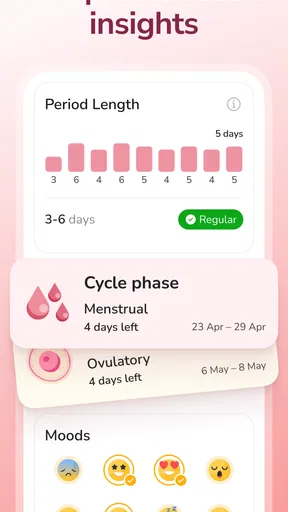

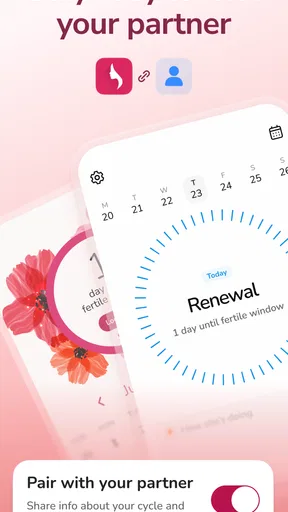
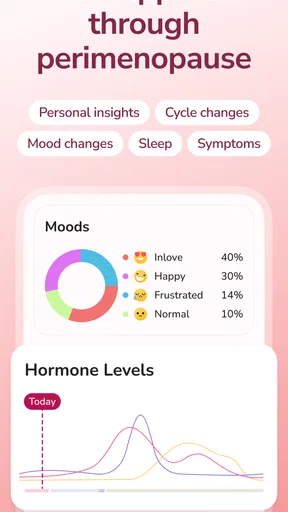
Our Review of Period Tracker and Calendar
 Analysis by Appyee
The part I find most useful about Period Tracker and Calendar is how it turns cycle notes into a calendar you can plan around. Instead of relying on memory to guess when a period might arrive, I can look at the dates together with the symptoms and moods I have logged. That makes the app feel less like a diary and more like a practical reference for everyday decisions. I would still treat its predictions as estimates, not guarantees: a calendar can help me prepare, but it cannot tell me exactly what my body will do next.
A calendar is most useful when you keep it honest
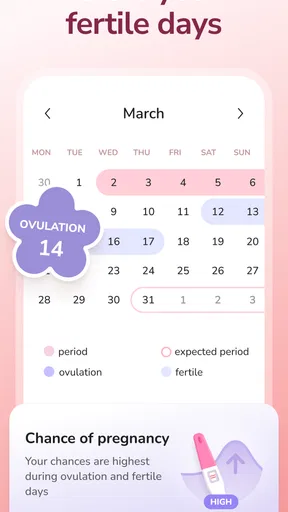
The color-coded view is the clearest way to get a quick picture of expected period days, fertile days, and ovulation timing. Its value grows as I enter information consistently, because the app has more of my own history to work from. If I only record a cycle once and then leave the app untouched, I should not expect the forecast to feel especially personal. A small habit—adding dates when they happen, rather than trying to reconstruct them weeks later—makes the calendar more useful.
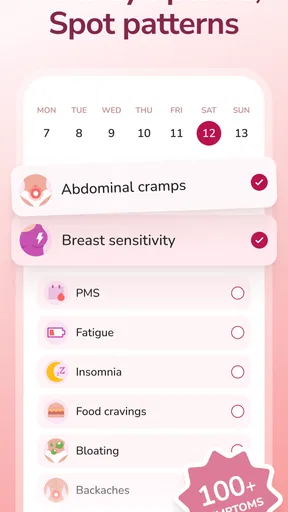
I also like that symptom, mood, and note entries can give a date some context. A prediction alone tells me what the app expects; a log can help me remember what actually happened. If cramps tend to interfere with a busy day, for example, notes can help me recognize a recurring pattern and plan a little breathing room. That is a modest but meaningful benefit: the app helps organize observations, while the interpretation still belongs to me.
How I would use the predictions day to day
In practice, I would check the calendar when planning a trip, a workout schedule, or a week with several commitments. If a period is predicted during a long journey, I can prepare supplies in advance instead of being caught by surprise. I would not cancel plans just because a fertile window or period is marked; I would use the dates as a prompt to think ahead, then adjust based on my body and circumstances.
Reminders can support that routine, especially if I tend to forget a pill or want a nudge as a predicted date approaches. I would choose only the alerts I actually need. Too many notifications can become background noise, and even a discreet alert may not feel appropriate on a shared or visible phone. Checking notification settings and choosing a comfortable reminder style early on is a practical way to keep the app helpful rather than intrusive.
What a forecast can and cannot do
Cycle tracking is not the same as a medical assessment, and calendar-based fertility estimates should not be treated as a dependable way to prevent pregnancy. The estimates are based on recorded patterns, which can shift. If cycles are irregular, recently changing, or affected by a major life or health change, the app’s predicted dates may be less useful. I would use the log to notice and communicate patterns, not to diagnose a condition or replace advice from a qualified clinician.
That distinction matters because the app’s visual certainty can make predicted days look more definite than they are. I find it helpful to think of them as planning windows rather than promises. If a symptom is persistent, severe, or worrying, a tracker can help me describe when it happens, but it should not be the reason I delay getting appropriate care.
Getting Started: Easy Peasy
First off, setting up the Period Tracker and Calendar is as straightforward as it gets. The app takes you through a quick setup process where you input your cycle details. Don't worry if you're not exactly sure; the app uses smart algorithms to predict your cycle based on the information you provide. I found the interface super intuitive, with a sleek design that’s easy on the eyes. Navigating through the app feels natural, and I didn’t have to fumble around trying to find my way.
Features that Stand Out
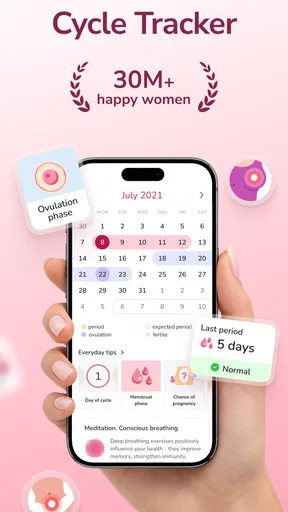
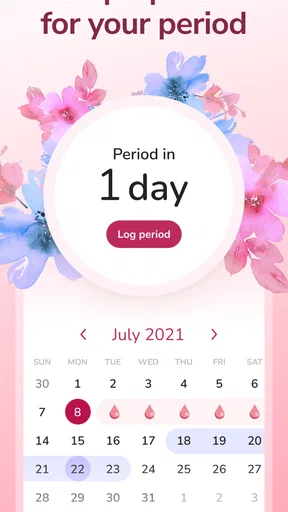
One of the standout features of this app is the calendar view. It’s color-coded for clarity, showing your fertile window, ovulation days, and period days. This visual representation makes it a breeze to see what's coming up at a glance. Plus, you can log symptoms, moods, and even notes. Feeling a bit moody or dealing with cramps? Log it in! This feature is super handy if you’re trying to identify patterns in your cycle.
Another cool feature is the reminder system. You can set up reminders for when your period is due, when to take your pill, or even when your fertile window is approaching. It’s like having a little nudge that keeps you on track. Plus, the app sends you notifications that are both timely and discreet, so no awkward moments when your phone pings in public.
Why It’s Worth Your Time
Using the Period Tracker and Calendar has genuinely made managing my menstrual health less of a hassle. I love the detailed cycle analysis it provides. Over time, it collects data and gives you insights into your cycle's regularity and length, which can be super informative if you're tracking for health reasons. Plus, the app is packed with educational content, offering tips and articles on menstrual health, fertility, and more. It’s like having a mini health library at your fingertips.
If privacy is a concern, rest easy knowing the app has a passcode lock feature. You can keep all your data secure, which is a big plus in today’s data-sensitive world. Also, the app syncs with other health apps, making it easier to have all your health data in one place.
What to weigh before choosing it
This is a medical-category app from SimpleInnovation, but I see it as a personal organizer rather than a substitute for professional care. The distinction is useful: logging dates and symptoms can make a conversation with a clinician more concrete, while the app itself cannot explain why a symptom occurs. If I were dealing with a health concern, I would bring my notes to an appointment and let a professional interpret them.
Compared with marking dates in a paper calendar or using a basic notes app, this tracker brings cycle dates, symptoms, moods, and reminders together in one place. That convenience is the main advantage. A paper record may suit someone who wants everything offline and prefers handwriting; a general calendar may be better for someone who only wants a simple date reminder without health-related prompts. I would choose this app when I wanted the cycle-specific view, not just another calendar.
There are also sensible reasons to skip it. If you do not want to enter intimate information into a phone, a private paper record may feel more comfortable. The passcode lock is a helpful layer, but it is not a reason to ignore who can access your device or notifications. I would review the phone’s own lock and alert settings too, especially if other people sometimes use or see the screen.
A realistic routine, not another chore
Imagine I have a full week ahead and a period is predicted near the middle of it. I can check the calendar, pack supplies before leaving home, and make a note if symptoms show up. If the date arrives earlier or later than expected, I record what happened rather than treating the forecast as a failure. That keeps the app grounded in real experience and gradually makes the history more useful. The practical win is not perfect prediction; it is having fewer details to hold in my head.
For a useful record, I would keep entries brief and consistent. Logging a symptom only when it is unusually strong can make ordinary patterns harder to see, while trying to record every tiny sensation may turn tracking into a burden. I would choose a few details that matter to me—such as cramps, mood, or a note about a change—and stick with them. The best logging routine is one I can maintain without feeling that I have to document my whole day.
The app is free to install, with optional in-app purchases priced from $1.99 to $69.99 per item. I would start with the basic experience and decide whether any paid option is worth considering only after I know what I actually use. Its average rating is 4.9 from around 542,000 ratings, and it has more than 10 million installs; that level of adoption suggests many people find the format useful, though it cannot tell me whether it fits my own tracking habits.
Who gets the most from this tracker
I think it suits someone who wants a clear calendar, is willing to record cycle details, and likes having reminders and personal notes together. It may also help someone who is trying to understand recurring timing or prepare for a health appointment, provided they treat the record as supporting information rather than a diagnosis. The Everyone age rating and simple layout make it approachable, but anyone younger should still think carefully about device privacy and whether they have a trusted adult or clinician to talk to when needed.
It is less compelling for someone who only wants to jot down one date now and then, dislikes notifications, or expects an app to make reliable fertility decisions on their behalf. For that person, a basic calendar—or no tracker at all—may be a better fit. I also would not recommend relying on its estimates as contraception. The app can help organize a record; it cannot remove the uncertainty built into cycle timing.
The app has been available since August 16, 2015, and its current version is 12.1.0 for devices running Android 7.0 or later. Those details are useful when checking compatibility, but my deciding factor would still be whether its calendar and logging style match the way I want to track. If I prefer a compact visual overview and can keep entries reasonably current, it has a clear purpose. If I want medical answers or certainty about dates, I would look elsewhere for that kind of support.
Wrapping It Up
All in all, the Period Tracker and Calendar is more than just a period tracker; it's a comprehensive tool for managing your reproductive health. Whether you're looking to track your periods, plan for a family, or simply be more in tune with your body, this app has got you covered. It’s easy to use, packed with features, and designed with the user in mind. I’d say it’s definitely worth a download!
Ready to give it a try? You can find it available for download on both Android and iOS. Happy tracking!
Privacy and Permissions
See what permissions an app requests and how it handles your data.
- Photos/Media/Files
- read the contents of your USB storage, modify or delete the contents of your USB storage
- Storage
- read the contents of your USB storage, modify or delete the contents of your USB storage
- Wi-Fi connection information
- view Wi-Fi connections
- Other
- view network connections, full network access, run at startup, control vibration, prevent device from sleeping, Google Play license check, read Google service configuration
Verdict
Strengths of Period Tracker and Calendar
- Simple and intuitive interface.
- Tracks multiple health metrics.
- Customizable reminders.
- Data backup and sync options.
- Resourceful insights and tips.
Limitations of Period Tracker and Calendar
- Ads can be intrusive.
- Some features require payment.
- Limited customization for themes.
- Occasional syncing issues.
- Requires internet for full features.
Similar Picks in This Category
View All
WebMD: Symptom Checker
WebMD, LLC4.1

Microphone Amplifier
DOSA Apps4.2

Anatomy Learning - 3D Anatomy
3D Medical OU4.5

GoodRx: Prescription Coupons
GoodRx4.8

CVS Health
CVS Pharmacy4.5

MyChart
Epic Systems Corporation4.4
Frequently Asked Questions
What features does the Period Tracker and Calendar app offer?
The Period Tracker and Calendar app provides a comprehensive suite of features including menstrual cycle tracking, ovulation prediction, and fertility insights. It also offers personalized health tips and reminders. Users can log symptoms, moods, and other health metrics, making it a versatile tool for monitoring reproductive health.
Is the Period Tracker and Calendar app easy to use for beginners?
Yes, the app is designed with a user-friendly interface, making it easy for beginners to navigate. It includes step-by-step tutorials and tips to help new users understand and utilize its features effectively. The intuitive design ensures that logging and tracking become part of a simple daily routine.
How accurate are the predictions in the app?
The app uses advanced algorithms to provide accurate predictions for menstrual cycles and ovulation. However, accuracy can vary based on the regularity of the user's cycle and the data inputted. Regular updates and consistent tracking improve predictive accuracy over time, but users should consult a healthcare professional for medical advice.
Is my personal data safe with the Period Tracker and Calendar app?
The app prioritizes user privacy and data security. It employs encryption and other security measures to protect personal information. Users can also set up additional security features such as PIN codes or biometric locks. It's important to review the app’s privacy policy for detailed information on data handling practices.
Does the app offer any additional health resources or support?
Yes, the app provides access to a variety of health resources, including articles and tips on reproductive health, nutrition, and wellness. It may also offer community support features where users can connect with others for advice and shared experiences. These resources aim to educate and empower users on their health journey.
